
Documentation
Guidance on the usage of REMIT Relax.
Company Templates
Company Templates are prefilled values that can be used from the landing page as a recurring template to generate new reports—so you don't have to fill in the same values again for every similar trade.
Using Company Templates requires a full subscription for the Excel Converter.
Only Admin users can create new Company Templates, but every user of the organization can use them.
Create New Company Templates
To create a new template, fill in the values that should always be used in this template into the online editor. The online editor can either start a new record from scratch or copy an existing record from the History section—see Using the Online Editor.
When creating a new online template, it is not necessary to fill in all required information. If the editor complains about validation issues while you're filling it out, this can be ignored.
As soon as all the values that should belong to this specific Company Template are entered, it can be saved via Save as Company Template in the upper right corner.
Publish the Template
After the template is saved, it is still hidden from users, but it is now visible to all Admins under the History page, in the Company Templates tab. From here it can either be adjusted, downloaded as an Excel template, deleted, or published to all users of the organization.
Clicking the green Publish button makes it available to all users of the organization.

Published templates can also be revoked again, so users will no longer be able to use them. For already published templates, there is a Revoke button for this purpose.
Use Company Templates
As soon as a Company Template is published, all users of an organization can use it as a recurring template—meaning they can create new reports in the online editor based on the stored template.
All Company Templates are visible in the Generate ACER XML section, under Start from Company Template. This section is only visible once at least one Company Template has been published.
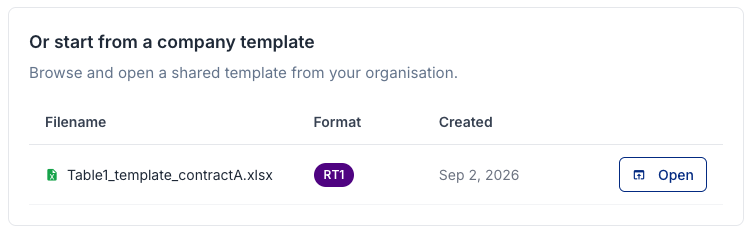
- Select the Company Template you want to use and click Open.
- The online editor opens with the prefilled values from the template. To create a report, you only need to add the missing values or adjust any values that have changed.
- Once done, save the report and continue processing it as described in Using the Online Editor.